Bose SoundLink Flex Bluetooth Speaker (2nd Gen) - Portable Outdoor Speaker with Hi-Fi Audio, Waterproof and Dustproof, USB-C, Up to 12 Hours Battery Life, Blue Dusk
$127.00 (as of April 1, 2026 07:03 GMT +00:00 - More infoProduct prices and availability are accurate as of the date/time indicated and are subject to change. Any price and availability information displayed on [relevant Amazon Site(s), as applicable] at the time of purchase will apply to the purchase of this product.)When you connect Shopify to Amazon, you’re creating a powerful multichannel selling strategy that can dramatically increase your revenue and operational efficiency.
Shopify’s flexible store management, combined with Amazon’s 300+ million customers, offers merchants an unmatched growth opportunity.
This guide covers everything you need to know about Shopify Amazon integration, from setup requirements to best practices that drive results.

Summary
Setting up Shopify fulfillment integration with Amazon unlocks significant business advantages. Here’s what this guide covers:
- Access to Amazon’s 300+ million active customers while maintaining your Shopify brand identity
- Automated inventory synchronization that prevents overselling and stockouts across platforms
- Streamlined order fulfillment using Amazon’s logistics network (FBA/MCF) for faster delivery
- Centralized management of both sales channels from your Shopify admin dashboard
- Step-by-step integration process using third-party connector apps
- Competitive strategies for pricing, listing optimization, and multichannel success
- Common challenges and practical solutions based on real merchant experiences
What Makes Shopify Amazon Integration Essential for E-Commerce Growth?
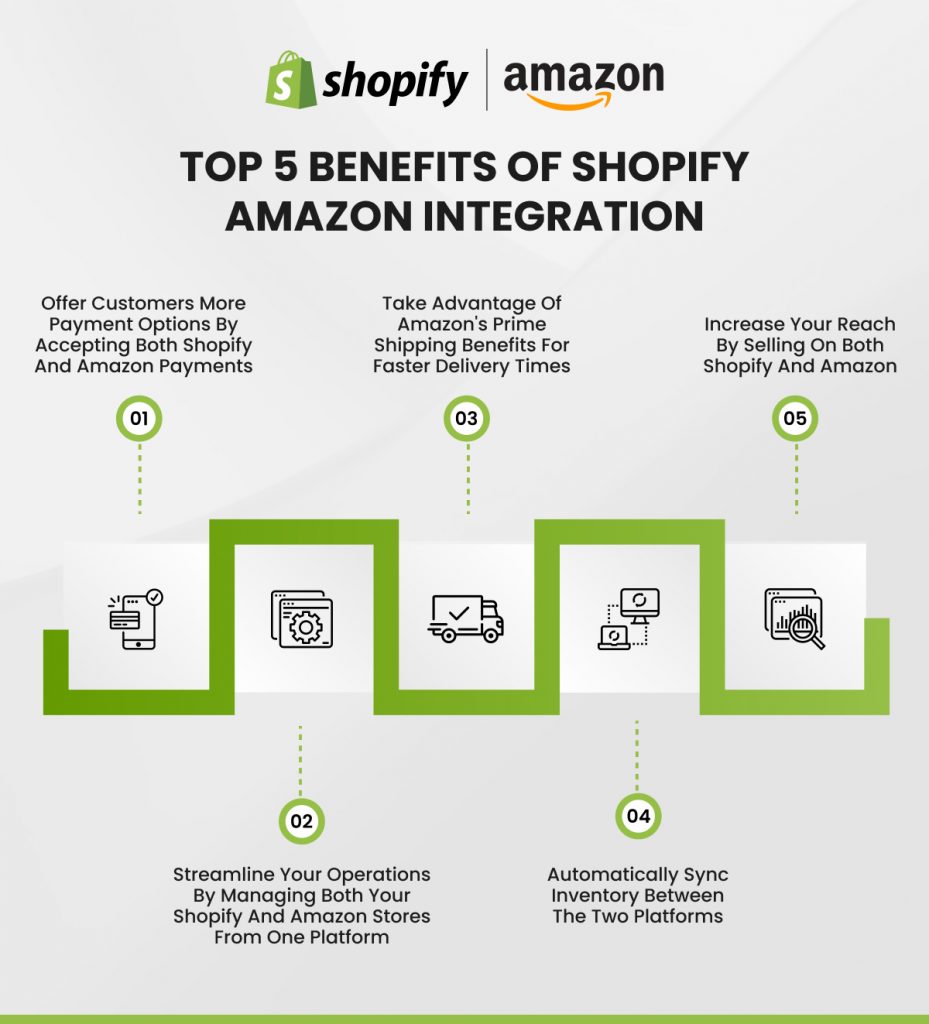
Merchants selling on multiple platforms generate 190% more revenue than those relying on a single channel. When you link Shopify to Amazon, you leverage Amazon’s 37.6% US e-commerce market share and millions of daily shoppers while maintaining your branded Shopify storefront.
Key Benefits of Connecting These Platforms
- Expanded Market Reach: Amazon’s 14+ global marketplaces give you instant access to international customers without years of brand building.
- Cost-Effective Fulfillment: Amazon’s FBA costs 70% less per unit than premium carrier options and 30% less than standard shipping.
- Reduced Business Risk: Diversifying across platforms protects against technical issues or account restrictions on either channel.
- Operational Efficiency: Modern Shopify Amazon integration app solutions automatically sync inventory levels, product details, and order information.
- Enhanced Customer Trust: Displaying products on both platforms reinforces credibility through multiple touchpoints.
Understanding Prerequisites for Amazon Shopify Integration
Before diving into the technical setup, ensure you meet these essential requirements. Missing even one can delay or complicate your integration.
Amazon Seller Account Requirements
You need an Amazon Professional Seller Account, not the Individual plan. The Professional account costs $39.99 monthly but provides critical capabilities:
- Unlimited product listings and API integration compatibility
- Access to Amazon’s advertising platform and Buy Box eligibility
- Detailed analytics through the Seller Central dashboard
When creating your account, prepare this information:
- Business registration details and tax identification number
- Valid government-issued ID for identity verification
- Bank account information for receiving payments
- Credit card for a monthly subscription and potential fees
- Business address and contact information
Product Category Approvals
Amazon restricts specific product categories to maintain marketplace quality and comply with regulations. Before listing products, verify whether your categories require approval:
- Auto-Approved Categories: Most general merchandise categories allow immediate listing, including home goods, electronics, toys, sports equipment, and books.
- Approval-Required Categories: Products like collectible coins, fine jewelry, automotive parts, video games, and items from luxury brands need category approval. Submit requests through your Seller Central account with supporting documentation like invoices from authorized suppliers, proof of authenticity, or manufacturer authorization letters.
The approval process typically takes 2-7 business days. Plan to avoid delays in your integration timeline.
Technical Requirements for Seamless Integration
Currency Alignment: Your Shopify store currency must match your Amazon marketplace. If selling on Amazon.com, your Shopify store needs USD pricing. For Amazon.co.uk, use GBP. Most Shopify fulfillment integration apps don’t support automatic currency conversion during sync.
Product Identifiers: Every product requires a UPC (Universal Product Code), EAN (European Article Number), or ASIN (Amazon Standard Identification Number). If you manufacture products, purchase legitimate UPCs from GS1, the official global source. Avoid cheap UPC resellers, as Amazon increasingly flags non-GS1 codes as invalid.
Inventory Accuracy: Before integration, audit your Shopify inventory to ensure accurate stock counts. Syncing incorrect data causes overselling issues that damage your Amazon seller rating and lead to customer complaints.
High-Quality Product Data: Amazon’s algorithm favors listings with comprehensive information. Optimize your Shopify product data before syncing:
- Clear, descriptive titles that include key product attributes
- Detailed descriptions highlighting features and benefits
- High-resolution images (minimum 1000×1000 pixels) on white backgrounds
- Accurate dimensions, weight, and material information
- Relevant search terms in backend keywords
For guidance on creating effective product content, explore our resources on how to increase conversions on Shopify product pages.
How to Set Up Shopify Amazon Integration: Step-by-Step Process
Step 1: Create Your Amazon Professional Seller Account
Navigate to Amazon Seller Central and click “Sign up.” You’ll choose between creating a new Amazon account or using an existing one linked to a different email than your personal shopping account—this keeps business and personal activities separate.
Follow the prompts to enter:
- Your business legal name and structure (LLC, Corporation, Sole Proprietorship)
- Primary contact information, including phone number for verification
- Tax information and business registration documents
- Banking details for deposit setup
- Store name (choose carefully, as changes require Amazon approval)
Amazon uses a two-step verification process for security. You’ll receive codes via SMS or phone call during setup. Keep your phone nearby to complete registration quickly.
Step 2: Verify Category Permissions
After account activation, review Amazon’s Categories Requiring Approval documentation.
If your products fall into restricted categories:
- Navigate to the “Add Product” section in Seller Central
- Search for a product similar to yours
- If approval is needed, click “Request Approval.”
- Upload required documentation (varies by category)
- Submit your request and monitor your email for approval status
Most general merchandise doesn’t require approval, so that you can proceed immediately to the next step.
Step 3: Optimize Your Shopify Store for Amazon Sync
Successful integration starts with clean data. Review each product in your Shopify catalog:
- Product Titles: Keep titles between 60-80 characters, front-loading important keywords. Include brand name, key features, size, and color.
- Product Descriptions: Write compelling descriptions that answer customer questions using short paragraphs and bullet points.
- Product Images: Upload at least 5-7 high-quality images (minimum 1000×1000 pixels) showing different angles and use cases.
- Pricing Strategy: Factor in Amazon’s referral fee (8-15%), FBA fees, and competitive pricing within your category.
For comprehensive Shopify store optimization, check our guide on best practices for Shopify store management.
Step 4: Install a Shopify Amazon Integration App
Amazon discontinued its native Shopify sales channel in September 2021. Now, merchants must use third-party connector apps from the Shopify App Store. Leading options include:
- CedCommerce Amazon Channel: Features comprehensive sync capabilities, bulk product listing, inventory management, and order fulfillment automation. Offers a free tier with paid plans starting at $9/month.
- Amazon by Codisto: Provides real-time synchronization, multi-marketplace support, and advanced reporting. Pricing starts at $19/month after a free trial.
- Amazon Integration Plus (CS Amazon Integration): Supports dropshipping, FBA, MCF orders, and multiple Amazon accounts. Includes a free plan with paid tiers from $14/month.
- LitCommerce: Enables multichannel selling beyond just Amazon and Shopify. Offers flexible listing management and automated order routing. Starts at $29/month.
To install your chosen app:
- Open the Shopify App Store
- Search for “Amazon integration.”
- Compare app features, reviews, and pricing
- Click “Add app” on your selected solution
- Grant necessary permissions when prompted
- Click “Add sales channel” to complete installation
Step 5: Connect Your Amazon Seller Account to Shopify
After installing your integration app:
- Open the app from your Shopify Admin dashboard
- Click “Connect to Amazon” or “Link Account”
- Choose your Amazon marketplace region (US, CA, UK, EU, etc.)
- Log in to your Amazon Seller Central account
- Authorize the app to access your Amazon data
- Review and confirm the permissions requested
The app will establish a secure connection between platforms. This typically takes 2-5 minutes. Once connected, you’ll see a confirmation screen with setup instructions specific to your chosen app.
Step 6: Configure Integration Settings
Most apps provide setup wizards to guide configuration. Key settings to configure:
Inventory Sync Rules:
- Set buffer inventory levels to prevent overselling (e.g., reserve 5 units for Shopify when syncing to Amazon)
- Choose sync frequency (real-time, hourly, or daily)
- Enable/disable inventory sync for specific products or collections
Order Management Preferences:
- Select automatic vs. manual order import
- Configure order tagging for easy filtering
- Set up email notifications for new Amazon orders
- Choose how to handle order cancellations and refunds
Fulfillment Method:
- Select FBA (Fulfilled by Amazon) for items stored in Amazon warehouses
- Choose FBM (Fulfilled by Merchant) for items you’ll ship directly
- Configure MCF (Multi-Channel Fulfillment) to use Amazon logistics for Shopify orders
- Set up split fulfillment if using multiple methods
Price and Inventory Rules:
- Create pricing rules (e.g., add 10% to the Shopify price for Amazon)
- Set minimum and maximum price thresholds
- Configure quantity multipliers or fixed offsets
- Enable competitive pricing automation if available
For businesses requiring advanced customization, consider working with a Shopify development company that specializes in integration projects.
Step 7: Create or Link Amazon Product Listings
You have two approaches for getting products onto Amazon:
Option A: Create New Listings (for unique products)
If you manufacture products or sell items not currently on Amazon:
- Navigate to your integration app’s “Listings” section
- Select “Create New Listing”
- Choose products from your Shopify catalog
- Select the appropriate Amazon category
- Fill in required attributes (brand, manufacturer, item weight, etc.)
- Add Amazon-specific keywords for backend search terms
- Set your price, inventory quantity, and fulfillment method
- Submit for review (usually approved within 24 hours)
Option B: Match Existing Listings (for resellers)
If selling products already listed on Amazon:
- In your app, select “Match Products.”
- Search Amazon’s catalog using UPC, EAN, or product title
- Review suggested matches and confirm accuracy
- Select your offer condition (New, Used, Refurbished)
- Set your competitive price point
- Configure fulfillment preferences
- Activate the listing
Most integration apps offer bulk actions, allowing you to process dozens or hundreds of products simultaneously. Use product tags in Shopify to organize which items should sync to Amazon.
Step 8: Set Up Automated Order Fulfillment
Configure how orders flow between platforms:
For Amazon Orders:
- Enable automatic order import in your app settings
- Set order import frequency (real-time recommended)
- Choose whether to create draft orders or automatically process them
- Configure inventory deduction timing (immediate or after shipment)
- Set up automated fulfillment for FBA orders
For Shopify Orders Using Amazon Fulfillment:
- Enable MCF (Multi-Channel Fulfillment) in your app
- Map Shopify products to their corresponding FBA inventory
- Set shipping speed preferences (Standard, Expedited, Priority)
- Configure branded vs. unbranded packaging options
- Enable automatic shipment tracking updates
Key Best Practice: Enable “hold unpaid orders” in your app settings. This feature delays fulfillment for partially paid or pending payment orders up to 72 hours, reducing losses from payment failures or fraud.
Step 9: Test Your Integration Before Going Live
Before processing real customer orders:
- Place test orders on both platforms to verify sync functionality
- Check that inventory updates occur within expected timeframes
- Confirm order details transfer accurately (quantities, customer info, shipping addresses)
- Test fulfillment processes for both FBA and FBM scenarios
- Verify that tracking numbers sync back to the originating platform
- Review how cancellations and refunds process across systems
Many apps provide sandbox or testing modes. Use these features to identify and resolve issues before customers are affected.
Managing Your Integration Effectively
Inventory Management Best Practices
- Implement Buffer Inventory: Set aside reserve quantities for each channel to prevent overselling. Configure automatic buffers in your integration app.
- Enable Low Stock Alerts: Get notifications when inventory drops below thresholds, giving you time to reorder before stockouts.
- Track by Location: If using multiple warehouses or both FBA and your own fulfillment, route orders to the nearest facility.
Pricing Considerations
Use your integration app’s pricing automation to adjust Amazon prices based on competitor pricing and inventory levels. Factor in Amazon’s 8-15% referral fees plus FBA costs when setting prices. Most merchants price 15-20% higher on Amazon to maintain margins after fees.
Amazon Fulfillment Options
- FBA Benefits: Prime badge eligibility increases conversions by 30-50%, Amazon handles customer service, and you get better search rankings.
- MCF for Shopify Orders: Use Amazon’s fulfillment network for Shopify orders at lower costs than traditional 3PLs. Amazon picks, packs, and ships, though MCF shipments aren’t Prime-eligible. Blank box options maintain brand identity.
Buy with Prime
Add Prime checkout directly to your Shopify store with Amazon’s “Amazon MCF and Buy with Prime” app. Shoppers use their Prime membership, stored payment methods, and see Prime badges on your site—boosting trust and conversions.
Troubleshooting Common Issues
- Inventory Sync Problems: Check sync logs, verify API limits aren’t exceeded, confirm product mapping is correct, and manually trigger a sync.
- Order Import Failures: Verify app subscription is active, check authentication status, and ensure order import is enabled in settings.
- Listing Rejections: Verify UPC/EAN codes are valid, check category selections match products, and ensure required attributes are completed.
For complex technical issues, consider consulting with Shopify integration specialists.
Alternative Integration Options: Amazon to Shopify Dropshipping
Some merchants reverse the typical flow, using Amazon as a supplier for their Shopify stores. However, Amazon’s terms of service prohibit using Prime for dropshipping to other marketplaces, packaging includes Amazon branding, and account suspension risks are high.
Better Alternative: Consider partnering with established dropshipping suppliers (Oberlo, Spocket, Modalyst), using print-on-demand services, or working directly with manufacturers who offer dropshipping programs.
Professional Integration Support
Complex catalogs, custom workflows, or multi-marketplace expansion often benefit from expert help. As a leading Shopify development company, Folio3 provides assessment, custom development, data migration, testing, and ongoing support for seamless Amazon and Shopify integration. Learn more about Shopify integration services.
Key Takeaways
- Start with clean, optimized product data before syncing to Amazon
- Choose an integration app matching your business size and needs
- Configure buffer inventory to prevent overselling
- Leverage Amazon FBA for cost-effective fulfillment and Prime eligibility
- Monitor performance metrics and adjust strategies accordingly
Conclusion: Take Your Next Step Toward Multichannel Success
Connecting your Shopify store with Amazon opens doors to exponential growth through expanded reach, operational efficiency, and diversified revenue. The integration requires upfront effort, but the long-term benefits far outweigh the initial investment.
Start by auditing your product catalog and ensuring data quality. Choose an integration app that fits your needs, then follow the systematic approach outlined above. Remember that successful multichannel selling involves strategic inventory management, competitive pricing, and consistent customer experiences.
Ready to implement Shopify fulfillment integration with Amazon? Contact our team to discuss how Folio3 can help you build a seamless, profitable multichannel operation.
Frequently Asked Questions About Shopify Amazon Integration
Can I Integrate Shopify With Amazon for Free?
Several apps offer free tiers with limited features (50-100 orders/month), including CedCommerce and CS Amazon Integration. You’ll still need an Amazon Professional Seller Account ($39.99/month). Growing businesses typically need paid plans ($20-89/month) for better scalability.
How Long Does Setup Take?
Basic integration takes 2-4 hours for catalogs under 100 products. Larger catalogs may need 1-2 weeks, including testing. Factor in additional time for Amazon category approvals if required.
Does Amazon Charge Extra Fees?
Amazon applies standard fees: $39.99 monthly subscription, 8-15% referral fees, FBA fees (varies by size/weight), and storage fees. These apply regardless of whether customers buy on Amazon’s marketplace or your Shopify store using Amazon fulfillment.
Can I Use Different Pricing on Each Platform?
Yes. Integration apps let you set pricing rules like “Amazon price = Shopify price + 15%” to account for fees. Monitor competitive pricing on Amazon for Buy Box placement.
What Happens if I Run Out of Stock?
Apps sync inventory in near real-time (5-15 minutes). When products sell out on one platform, quantities update on the other. Buffer inventory settings prevent edge cases where simultaneous orders could cause overselling.
Can I Fulfill Amazon Orders From My Own Warehouse?
Yes. Choose FBA (Amazon fulfills), FBM (you fulfill from your warehouse), or hybrid. FBM requires meeting Amazon’s shipping standards: ship within 2 business days, maintain late shipment rate <4%, order defect rate <1%.
Does Integration Work Internationally?
Yes, but your Shopify currency must match each Amazon marketplace (USD for Amazon.com, GBP for Amazon.co.uk). Most apps support multiple Amazon marketplaces simultaneously.
How Does the Integration Handle Returns?
- FBA: Amazon handles returns automatically and updates inventory.
- FBM: You handle returns directly and must process refunds within Amazon’s timeframes (48 hours).
Can I Run Promotions Across Both Platforms?
Apps sync base prices but don’t automatically create matching promotions. Set sale prices in Shopify to sync to Amazon, or run platform-specific promotions separately.
What Are the Best Integration Apps?
- CedCommerce Amazon Channel: Best for beginners with a user-friendly interface
- Amazon by Codisto: Excellent for high-volume sellers needing real-time sync
- CS Amazon Integration: Great for dropshippers and FBA sellers
- LitCommerce: Ideal for multiple marketplaces beyond Amazon
- Amazon MCF and Buy with Prime: Official app for MCF fulfillment
Most offer free trials—test before committing.
Source: https://ecommerce.folio3.com/blog/shopify-amazon-integration/